
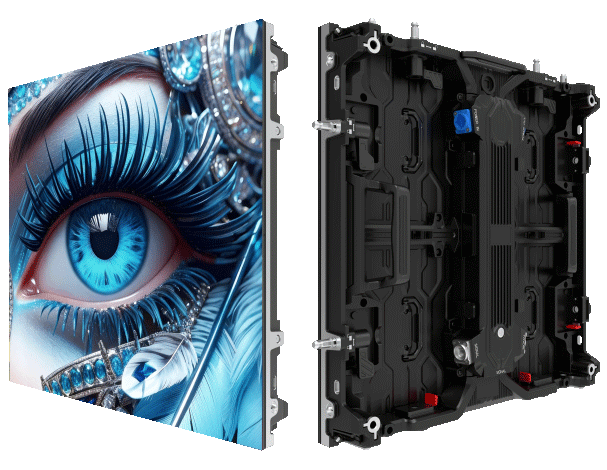
Overview — why a framework matters
This piece gives a practical framework for B2B teams buying custom stage LED screens, keeping it simple and straight to the point. If you’re organising corporate shows or festivals and need a rental LED display, this checklist helps you validate the vendor’s claims on brightness and motion fidelity before you sign. Based on field work at live venues like Eden Park and hands-on installs, the steps below are battle-tested – no fluff, just what works in the real world.
Core principles of the validation framework
Start with three fundamentals: measurable specs, consistent testing processes, and on-site verification. The measurable specs are pixel pitch, brightness (nits), and refresh rate. The process standardises how those specs are proved, and the on-site checks make sure the gear performs under real load — full rig, daytime sunlight, or broadcast lighting. Keep records and demand test outputs in writing so everyone’s on the same page.
The five-point checklist
Use these steps as your checklist when reviewing proposals and doing audits:
– Confirm stated brightness with a certified light meter reading (nits) at typical viewing distance.
– Verify refresh rate using a test pattern and a camera that supports high frame capture — suppliers often overstate how smooth the image will be on broadcast feeds.
– Inspect pixel pitch vs viewing distance to ensure no visible tessellation at the audience’s sightlines.
– Check LED controller logs and power-management settings for thermal throttling under prolonged load; controllers can silently dim panels to save heat.
– Demand a calibration report showing colour balance across the full panel array and uniformity tests after warm-up.
Practical on-site checks and test rigs
Bring a simple test rig: a DSLR or pro video camera with known frame settings, a calibrated light meter, and a laptop with test-pattern playback. Run the display for at least an hour at full brightness to spot thermal shifts. Record a short video of motion-heavy content to examine for judder tied to refresh rate — then review on a broadcast monitor. If you’re comparing options, get both vendors to run the same file in identical conditions. Small detail — note speaker placement when testing; audio delay can bias perception of screen latency.
Common mistakes buyers make
Buyers often rely solely on spec sheets and trust peak numbers rather than sustained performance. Vendors may quote peak nits that drop after ten minutes. Another trap is ignoring the impact of ambient light; even high nits need proper anti-glare treatment or higher contrast ratios outdoors. Also, don’t conflate pitch with perceived sharpness; content scaling and processing matter. If you skip calibration or a warm-up test — you’ll regret it on show day.
Comparing rental options and alternatives
When you evaluate a large led screen rental against buying fixed panels, factor in transport, install time, and service-level clauses. Renting often includes onsite techs who can handle calibration and refresh-rate tweaks, which saves time but can raise cost. For long runs, fixed installs with integrated LED controllers and scheduled maintenance win on TCO. List the real costs: daily hire, transport, tech hours, and a margin for rework.
Evaluation matrix — what to score
Score vendors across three axes: verified performance (metered nits, camera-checked refresh), operational maturity (spares, tech crew, redundancy), and contractual safeguards (warranty, SLA, acceptance criteria). Weight the matrix for your event: broadcast-heavy gigs lean on refresh-rate and frame-lock; outdoor daytime shows prioritise sustained brightness and contrast. This gives you a defensible purchasing decision rather than a gut feel — and it’s easily auditable.
Advisory — three golden rules for selection
1) Demand sustained performance data, not peak figures: require a warm-up test and a written brightness curve. 2) Insist on on-site calibration and a signed acceptance test that includes camera-captured motion samples for your content; this locks in refresh-rate expectations. 3) Prioritise vendors with clear redundancy plans — spare modules, on-hand LED controllers, and a technical crew who know how to swap panels fast.
Final thought — reliable screens and proven processes save shows. MR LED. —